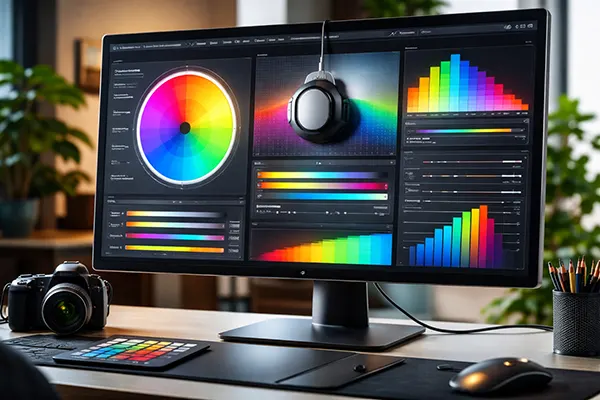
Why Modern Monitors with AI Features Do Not Always Improve Colour Accuracy
AI-driven features in modern monitors are often presented as a step forward in display technology, especially when it comes to colour handling. In practice, however, these systems do not always deliver the expected improvements. While automation can assist with adjustments, colour accuracy remains a complex process that depends on calibration standards, user control, and hardware limitations. Understanding how these technologies work reveals why AI is not a universal solution for professional or everyday colour work.
How AI Processing Alters Colour Representation
Modern monitors frequently rely on AI algorithms to analyse content and adjust brightness, contrast, and colour balance in real time. These systems are designed to enhance perceived image quality rather than maintain strict colour accuracy. As a result, the output may look visually appealing but deviate from industry standards such as sRGB or DCI-P3.
AI-driven enhancements often prioritise contrast and saturation because these elements are more noticeable to the human eye. This approach can lead to exaggerated colours, particularly in media consumption scenarios like video streaming or gaming. While this may improve visual impact, it introduces inconsistencies for tasks that require accurate colour reproduction, such as photo editing or design work.
Another limitation lies in how AI interprets content. Algorithms make assumptions based on patterns, but they cannot fully understand the context of every image. For instance, skin tones or subtle gradients may be adjusted incorrectly, leading to unnatural results. These inconsistencies highlight the gap between automated optimisation and controlled calibration.
Differences Between Perceived and Measured Accuracy
There is an important distinction between how colours appear to users and how they are measured using professional tools. AI systems are typically optimised for perception, meaning they adjust colours to look more vivid or balanced under general viewing conditions. However, this does not guarantee that the displayed colours match reference values.
Measured accuracy relies on calibration devices and colour profiles that ensure consistency across different screens and workflows. AI adjustments can interfere with these profiles, making it difficult to maintain reliable results. Even small deviations can become significant in professional environments where precision is required.
In many cases, users may not notice inaccuracies without direct comparison. This creates a false sense of improvement, as the image appears better but is technically less accurate. For professionals, this discrepancy can lead to errors when content is viewed on other calibrated displays.
Limitations of AI in Hardware and Panel Technology
AI features do not replace the physical capabilities of a monitor. The quality of the panel, including its colour gamut, bit depth, and uniformity, plays a fundamental role in colour performance. If the hardware cannot accurately reproduce certain colours, AI cannot compensate for these limitations.
For example, a monitor with limited coverage of the Adobe RGB colour space cannot display the full range required for print work, regardless of software enhancements. AI may attempt to simulate missing colours, but this often results in compression or distortion rather than true reproduction.
Panel inconsistencies, such as uneven backlighting or colour shifts across the screen, also remain unresolved by AI processing. These issues require hardware-level solutions and precise calibration, not algorithmic adjustments applied after the fact.
Why Calibration Still Matters More Than Automation
Professional calibration involves using dedicated tools to measure and adjust a monitor’s output according to recognised standards. This process ensures that colours remain consistent over time and across devices. AI features, on the other hand, introduce dynamic changes that can disrupt this consistency.
Even when AI offers a calibration mode, it typically lacks the precision of manual calibration with external instruments. Built-in sensors may provide a basic adjustment, but they do not match the accuracy required for tasks such as colour grading or print preparation.
Users who rely solely on AI may overlook the importance of maintaining a controlled environment. Factors such as ambient lighting and display ageing affect colour accuracy, and these variables are not always fully accounted for by automated systems.
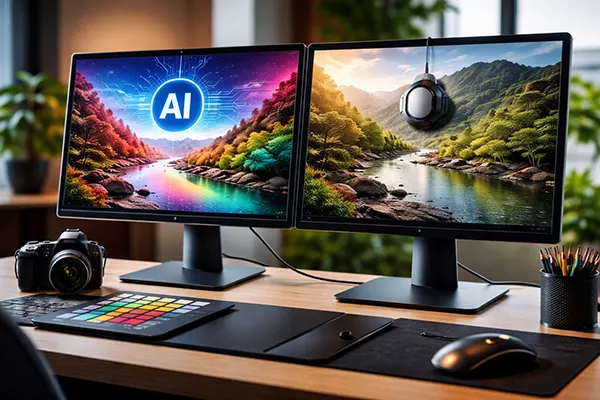
When AI Features Can Be Counterproductive
In certain workflows, AI enhancements can actively interfere with the intended output. For example, video editors working with colour grading rely on predictable and stable colour representation. Automatic adjustments can alter the image during playback, making it difficult to evaluate changes accurately.
Similarly, designers working with brand colours require consistency across multiple devices. AI-driven shifts in hue or saturation can lead to discrepancies between what is seen on screen and what is produced in print or displayed elsewhere.
Another issue arises from user expectations. Many assume that enabling AI features automatically improves quality, but this depends heavily on the use case. In some scenarios, disabling these features provides a more reliable and consistent result.
Balancing AI Convenience with Professional Control
AI can still be useful when applied selectively. For general use, such as watching films or browsing, automated enhancements can improve visual comfort and perceived clarity. The key is understanding when these features should be active and when they should be disabled.
For colour-critical tasks, manual control remains essential. This includes using calibrated profiles, adjusting settings based on specific standards, and avoiding dynamic processing that alters the image unpredictably. Combining AI with manual oversight can provide flexibility without sacrificing accuracy.
Ultimately, the effectiveness of AI in monitors depends on how it is used. Rather than replacing traditional methods, it should be treated as an optional tool that complements, rather than overrides, established practices in colour management.