Home Network Segmentation Without Enterprise Gear: Guest Wi-Fi, VLAN, DNS Filtering and IoT Isolation
Modern homes often contain dozens of connected devices: laptops, smartphones, smart TVs, cameras, thermostats and voice assistants. Many of these devices operate with minimal security updates and limited control options. As a result, the home network can become a single flat environment where every device can potentially interact with every other one. In 2026, basic segmentation techniques allow households to reduce risks significantly without installing expensive enterprise equipment. By separating traffic between trusted computers, guest devices and IoT hardware, it becomes possible to limit lateral movement inside the network and improve privacy. Several practical schemes can achieve this using common routers, DNS tools and consumer networking features.
Guest Wi-Fi as the Simplest Segmentation Layer
Most modern home routers include a guest Wi-Fi option. This feature creates a secondary wireless network separated from the primary home network. Devices connected to the guest network usually receive internet access but cannot reach internal devices such as shared storage, printers or local servers. For many households, this is the fastest method to introduce a basic level of segmentation.
The guest network can serve more than visitors. Smart televisions, streaming sticks, robot vacuum cleaners and voice assistants can all operate perfectly on this isolated network. If one of these devices becomes compromised due to outdated firmware or a vulnerable cloud service, the attack remains limited to the guest segment rather than spreading across personal computers.
In 2026 routers from manufacturers such as Asus, TP-Link, Ubiquiti and AVM Fritz!Box allow additional control over guest Wi-Fi behaviour. Administrators can restrict local network access, set bandwidth limits, schedule network availability and isolate wireless clients from each other. These options turn the guest network into a practical security layer rather than a simple convenience feature.
Practical Guest Network Configuration
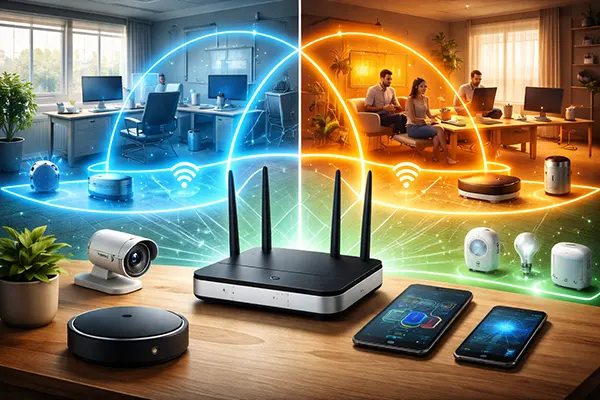
A reliable approach is to maintain two main wireless networks: a primary secure network for personal devices and a guest network dedicated to IoT and temporary devices. The main network should use strong encryption such as WPA3 or WPA2/WPA3 mixed mode, while the guest network can operate with restricted internal access.
Device placement should follow simple logic. Laptops, workstations and smartphones used for banking or professional activity should remain on the primary network. Smart speakers, lighting hubs, televisions and other connected appliances can safely operate on the guest network since they mainly communicate with external cloud services.
It is also recommended to disable communication between devices on the guest network when the router supports client isolation. This prevents one IoT device from interacting directly with another. Even if a vulnerability appears in one device, the ability to affect neighbouring devices remains limited.
VLAN Segmentation for More Controlled Networks
Virtual Local Area Networks (VLANs) provide more precise segmentation than guest Wi-Fi alone. VLAN technology allows administrators to create several logical networks within the same physical infrastructure. Each VLAN behaves like a separate network with its own addressing and access rules. In recent years this functionality has moved from enterprise switches into advanced consumer routers and affordable managed switches.
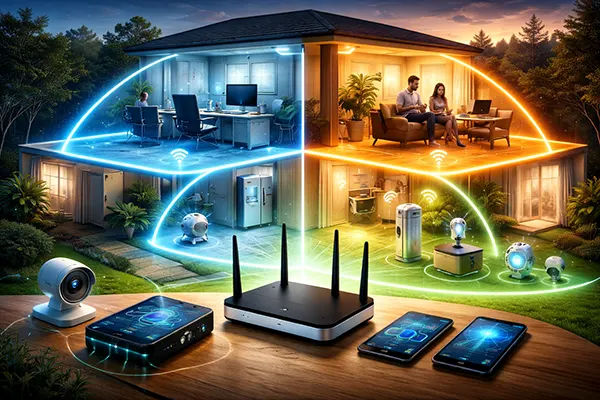
In a home environment, VLANs allow the separation of different categories of devices. A typical structure might include a trusted workstation network, an IoT network, a guest network and a media device network. Traffic between these segments can then be filtered using firewall rules configured on the router.
Hardware capable of VLAN segmentation has become more accessible by 2026. Devices such as MikroTik routers, Ubiquiti UniFi gateways, OpenWrt-compatible routers and some advanced consumer routers allow VLAN configuration through graphical interfaces. Even small managed switches costing under £100 can support VLAN tagging.
Three Typical VLAN Layouts for Home Use
A practical layout includes three VLANs: one for trusted devices, one for IoT equipment and one for guest devices. The trusted VLAN contains personal computers and network storage, while the IoT VLAN includes smart appliances and home automation controllers. Firewall rules allow the trusted network to access IoT devices if necessary but block reverse connections.
A second layout separates work devices from the rest of the household network. Remote workers handling sensitive information can place their workstation in a dedicated VLAN isolated from gaming consoles, smart TVs and experimental devices. This structure reduces the risk of malware spreading from less secure devices.
A third layout adds a media VLAN specifically for streaming devices and gaming consoles. These devices often require high bandwidth but limited internal access. By isolating them from both IoT and trusted computers, the network becomes easier to manage and security boundaries remain clear.
DNS Filtering and IoT Isolation Strategies
Segmentation becomes more effective when combined with DNS filtering. DNS filtering services block access to known malicious domains, tracking systems and unwanted advertising networks. In 2026 widely used tools include Pi-hole, AdGuard Home, NextDNS and router-level filtering services built directly into some networking devices.
When DNS filtering is applied at the network level, even devices with limited security controls benefit from protection. Many IoT devices rely heavily on external servers. Blocking suspicious domains reduces the chance of these devices contacting malicious infrastructure.
DNS filtering also helps manage telemetry traffic generated by smart appliances. Some devices send large amounts of data to analytics systems. A DNS policy allows administrators to block unnecessary endpoints while maintaining essential functionality.
Combining DNS Filtering with Network Segmentation
The most reliable configuration places the DNS filtering server inside the trusted network segment while allowing other VLANs to query it. For example, an IoT VLAN can be configured so that all DNS requests must pass through a Pi-hole or AdGuard server. This allows centralised control over domain access.
Another useful method is to apply stricter filtering rules to IoT networks than to personal devices. Smart appliances rarely require access to social media domains, advertising networks or file-sharing services. Blocking these domains reduces unnecessary traffic and limits exposure to external threats.
When combined with guest Wi-Fi or VLAN segmentation, DNS filtering forms a layered security approach. Each layer addresses different risks: segmentation restricts device interaction, firewall rules control traffic flows and DNS filtering limits external communication. Together these techniques provide a realistic and affordable way to strengthen home network security without complex enterprise infrastructure.